


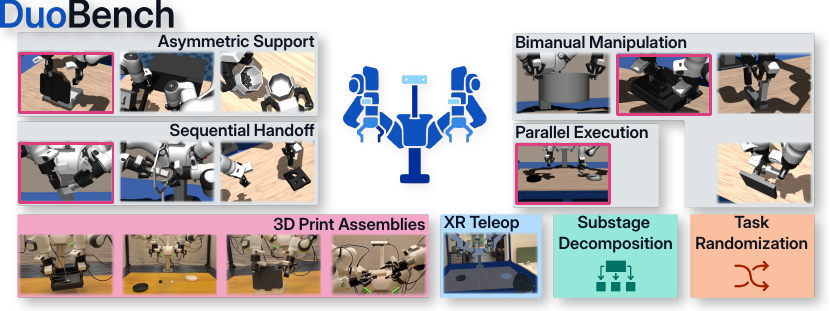
DuoBench is a benchmark for bimanual manipulation on the Franka Research 3 Duo platform. This repository contains the simulation task definitions, task-stage evaluation wrappers, replay and teleoperation entry points, and task assets used for the DuoBench environments described in the paper.
This repository includes:
- 11 simulation tasks spanning the four coordination categories used in the paper
- 4 tasks additionally replicated in the real world in the paper's experiments
- per-task language instructions and stage-based progress signals
- simulation assets for the DuoBench tasks
- replay and dataset-conversion entry points built on top of RCS
DuoBench is built around the Franka Research 3 Duo platform and uses the same task logic across simulation, teleoperation, replay, and evaluation. The benchmark covers four bimanual coordination categories, exposes stage-based progress signals for analysis beyond binary success, and includes a subset of tasks reproduced in the real world with shared assets and procedures.
The setup is designed to stay reproducible across labs: tasks can be instantiated as duobench/<task_id> Gymnasium environments in simulation, and selected tasks can also be recreated on hardware using the Franka Research 3 Duo setup together with the benchmark assets and teleoperation tools.
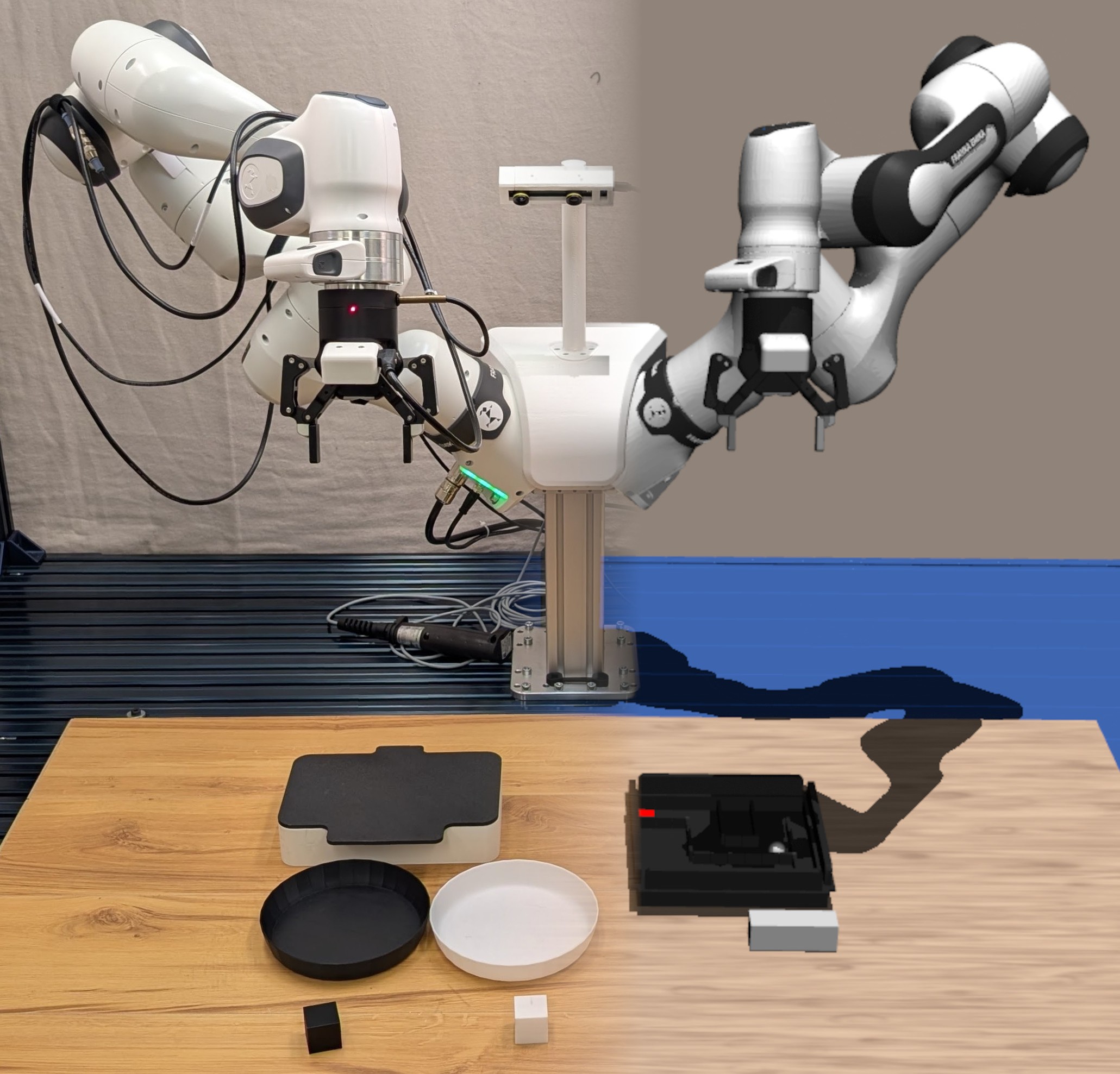
DuoBench builds on the Robot Control Stack (rcs) in the parent repository. A clean Python 3.11 environment is recommended. 🚀
Make sure common build tools and a C++ compiler such as gcc or clang are available.
git clone https://github.com/RobotControlStack/robot-control-stack.git
cd robot-control-stack

conda create -n rcs python=3.11
conda activate rcs
conda install -c conda-forge urdfdom urdfdom_headers glfw

pip install 'pip>=25.1'
pip install --group build_deps
pip install -ve .git clone https://github.com/RobotControlStack/duobench.git
cd duobench
pip install -ve .Tasks need to be imported as from duobench.tasks import <task_id>.
The environments are afterwards registered under duobench/<task_id>. Each task has a config named <task_id>EnvConfig.
A minimal example is:
import gymnasium as gym
from duobench.tasks import ball_maze

cfg = ball_maze.BallMazeEnvConfig().config()
cfg.headless = False

env = gym.make("duobench/ball_maze", cfg=cfg)
obs, info = env.reset()

print(info["instruction"])
print(info["stage"], info["max_stage"], info["current_subinstruction"])

env.close()
The task wrapper exposes stage-based evaluation through the returned info dictionary:
success: whether the task reached its final stagestage: current task stagemax_stage: total number of stagescurrent_subinstruction: current stage descriptionstage_to_subinstructions: mapping from stage index to stage textinstruction: full language instruction for the task
The environment reward is the normalized task-stage progress, and terminated becomes True once the final stage is reached. ✅
The default config is optimized for teleoperation (see section below). To evaluate your model you should use the following example which
- controls in absolute joints space
- uses async 30Hz control
- binary gripper
- headless (no gui)
from rcs.envs.base import ControlMode, RelativeTo
cfg = ball_maze.BallMazeEnvConfig().config()

# headless
cfg.headless = True

# absolute joint control
cfg.control_mode = ControlMode.JOINTS
cfg.relative_to = RelativeTo.NONE

# async 30Hz
cfg.sim_cfg = SimConfig(async_control=True, realtime=False, frequency=30)

# binary gripper
cfg.wrapper_cfg.binary_gripper = True

env = gym.make("duobench/ball_maze", cfg=cfg)
obs, info = env.reset()

# do your eval e.g. via VLAgents (https://github.com/RobotControlStack/vlagents) or lerobot
For an overview of all config options see SimEnvCreatorConfig in RCS.
The benchmark currently includes the following tasks. The environment IDs follow the duobench/<task_id> pattern shown above. 🤖
| Task image | Paper task ID | Task description | Env ID string | Language instruction |
|---|---|---|---|---|
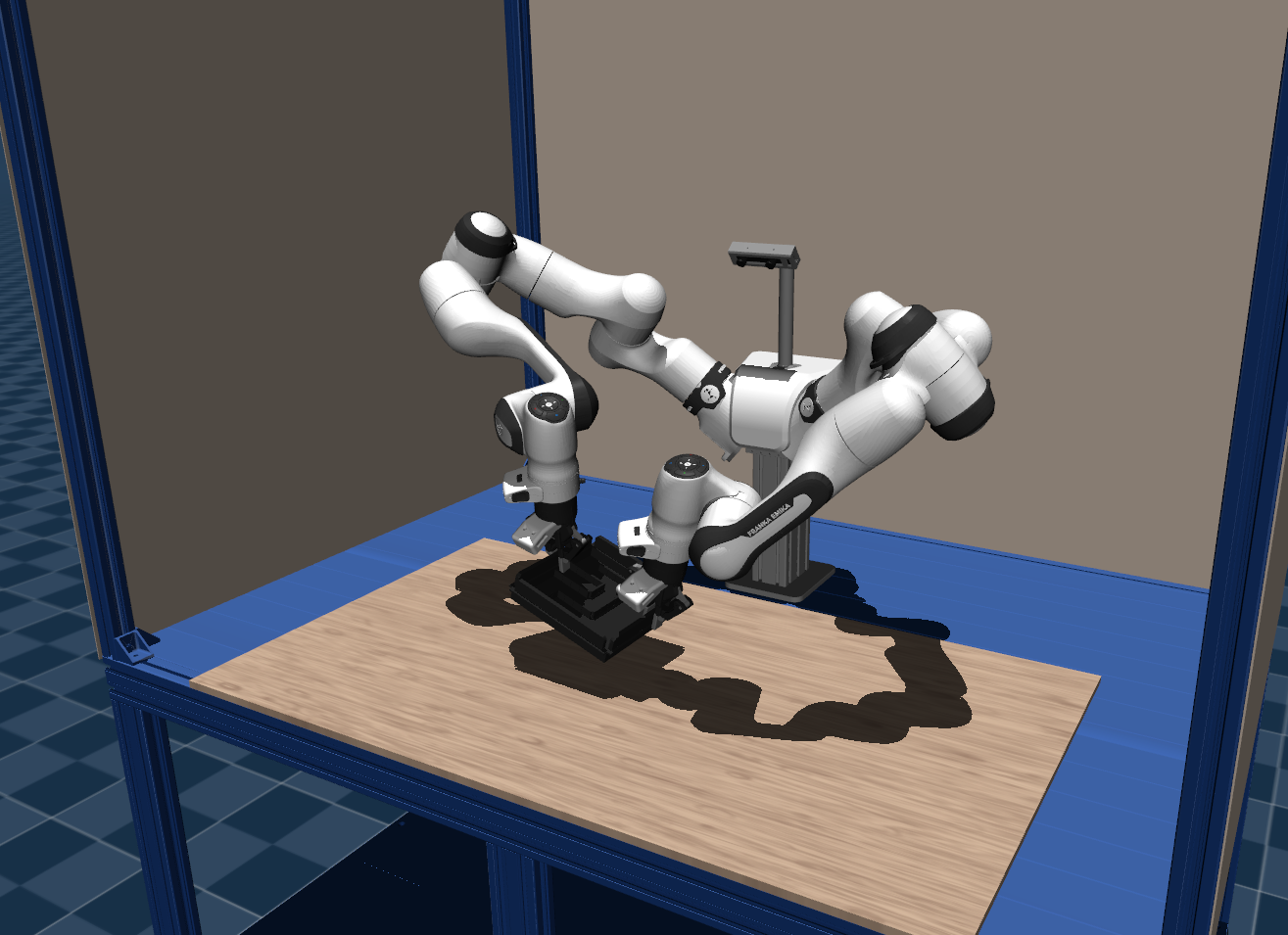 |
Ball-Maze |
Pick up a maze board with both arms and tilt it so a ball rolls into a target region. | "duobench/ball_maze" |
pick up the board and tilt it so the ball roles onto the red square |
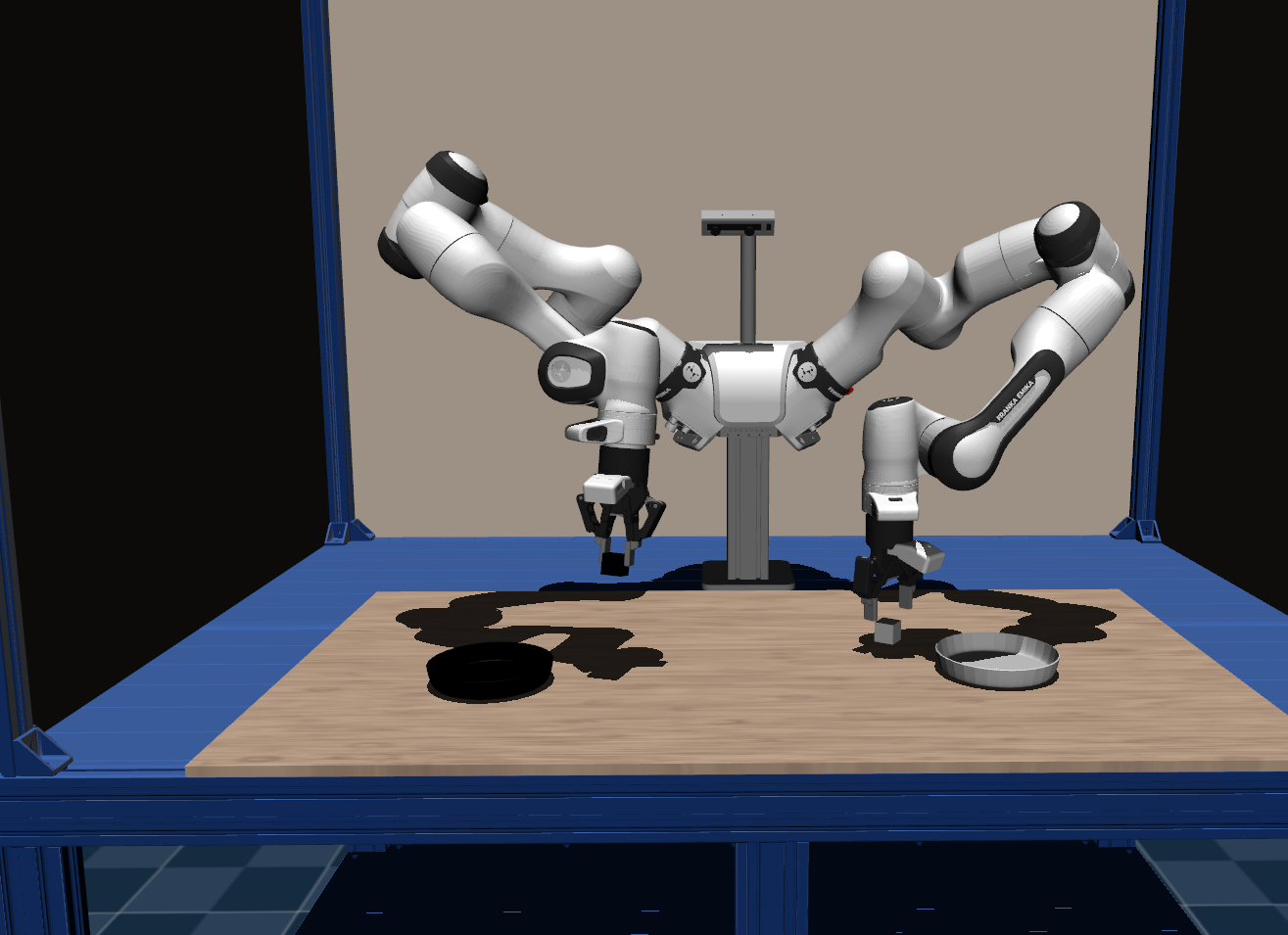 |
Bin-Sort |
Sort two cubes into the matching bowls, testing simultaneous execution instead of direct cooperation. | "duobench/bin_sort" |
use the left arm to place the white cube in the white bowl; use the right arm to place the black cube in the black bowl |
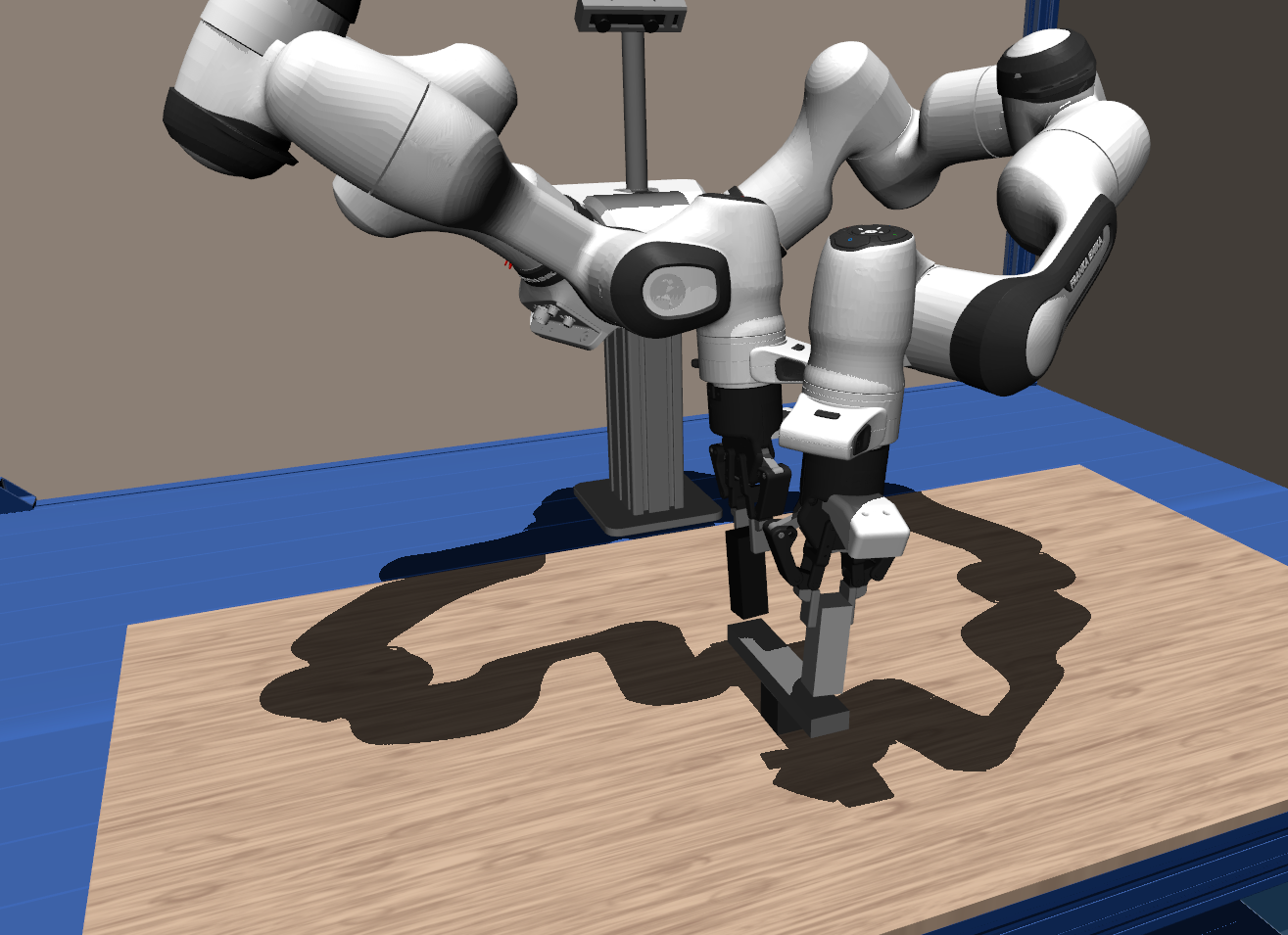 |
Block-Balance |
Place a beam on a support cube and then place two rectangular blocks on the beam simultaneously. | "duobench/block_balance" |
place the beam on the cube and then place the other blocks on the beam simultaneously using one arm for each cube |
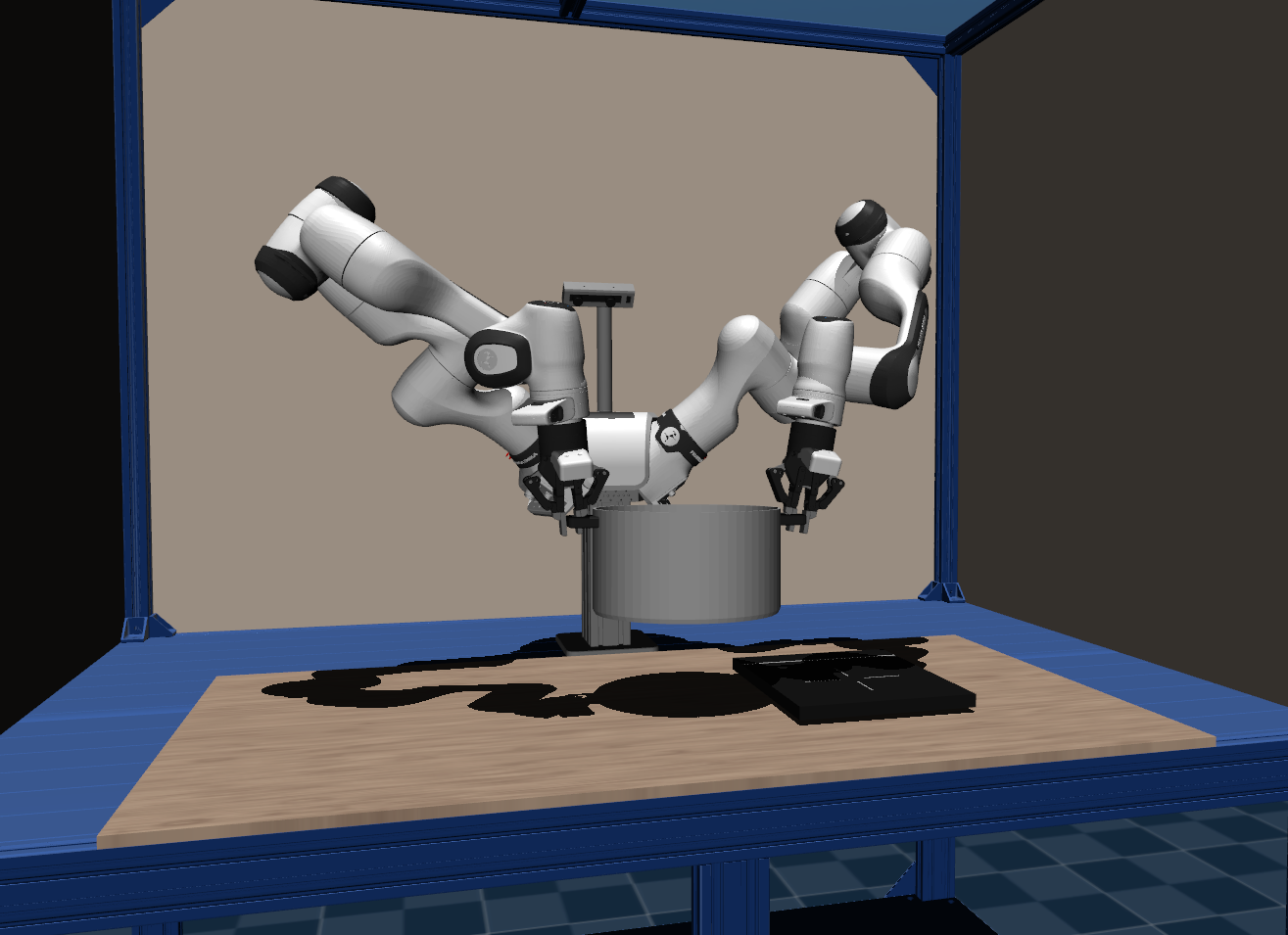 |
Carry-Pot |
Carry a pot using both side handles and place it on a stove. Both arms are needed to lift the pot. | "duobench/carry_pot" |
use two arms to carry the pot at the handle on the stove |
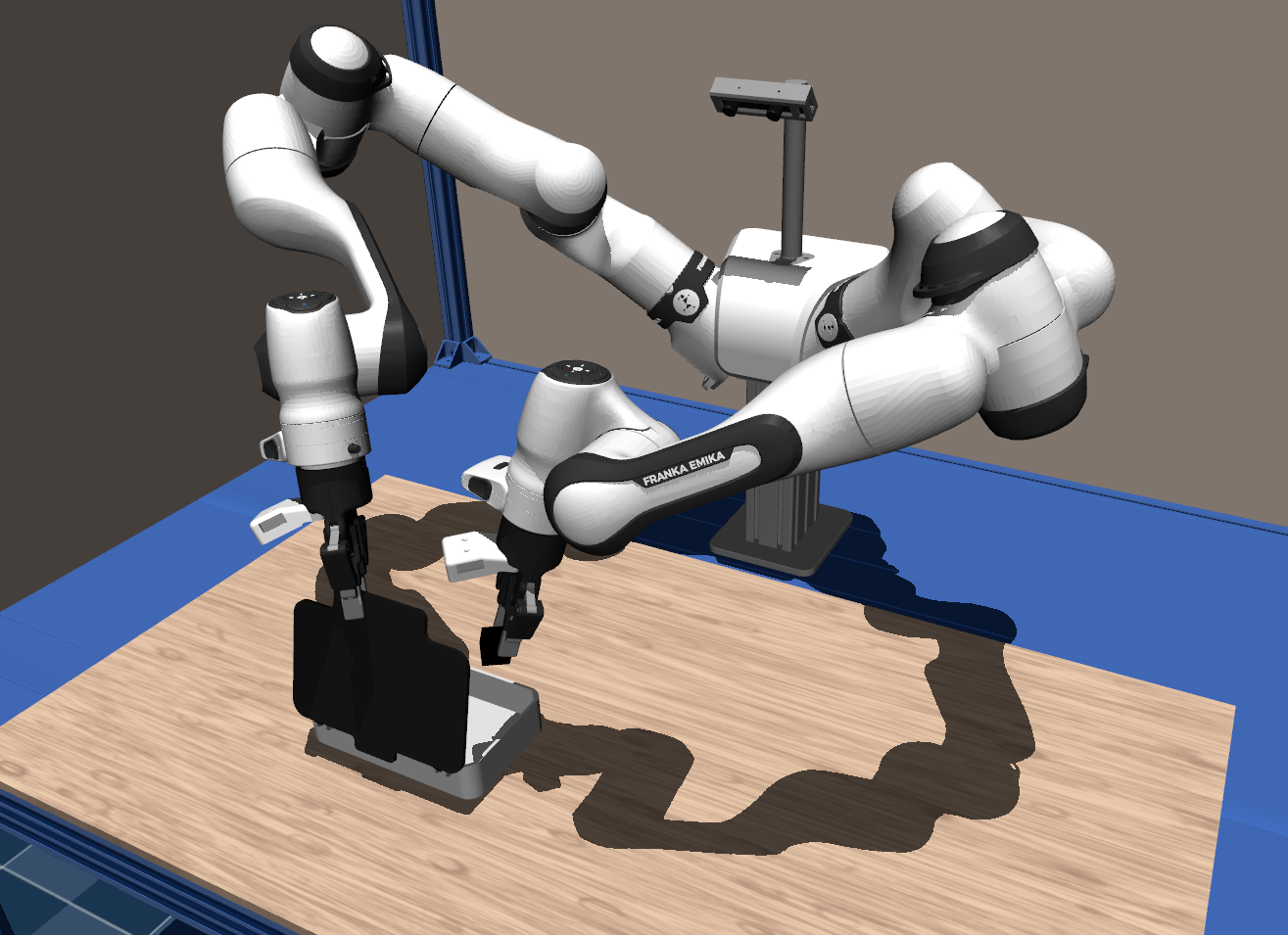 |
Hinge-Chest |
Holding the lid of a small chest open while inserting a box. One arm must hold the lid while the other inserts the box. | "duobench/hinge_chest" |
open the box with the right arm and place the cube inside the box with the left arm |
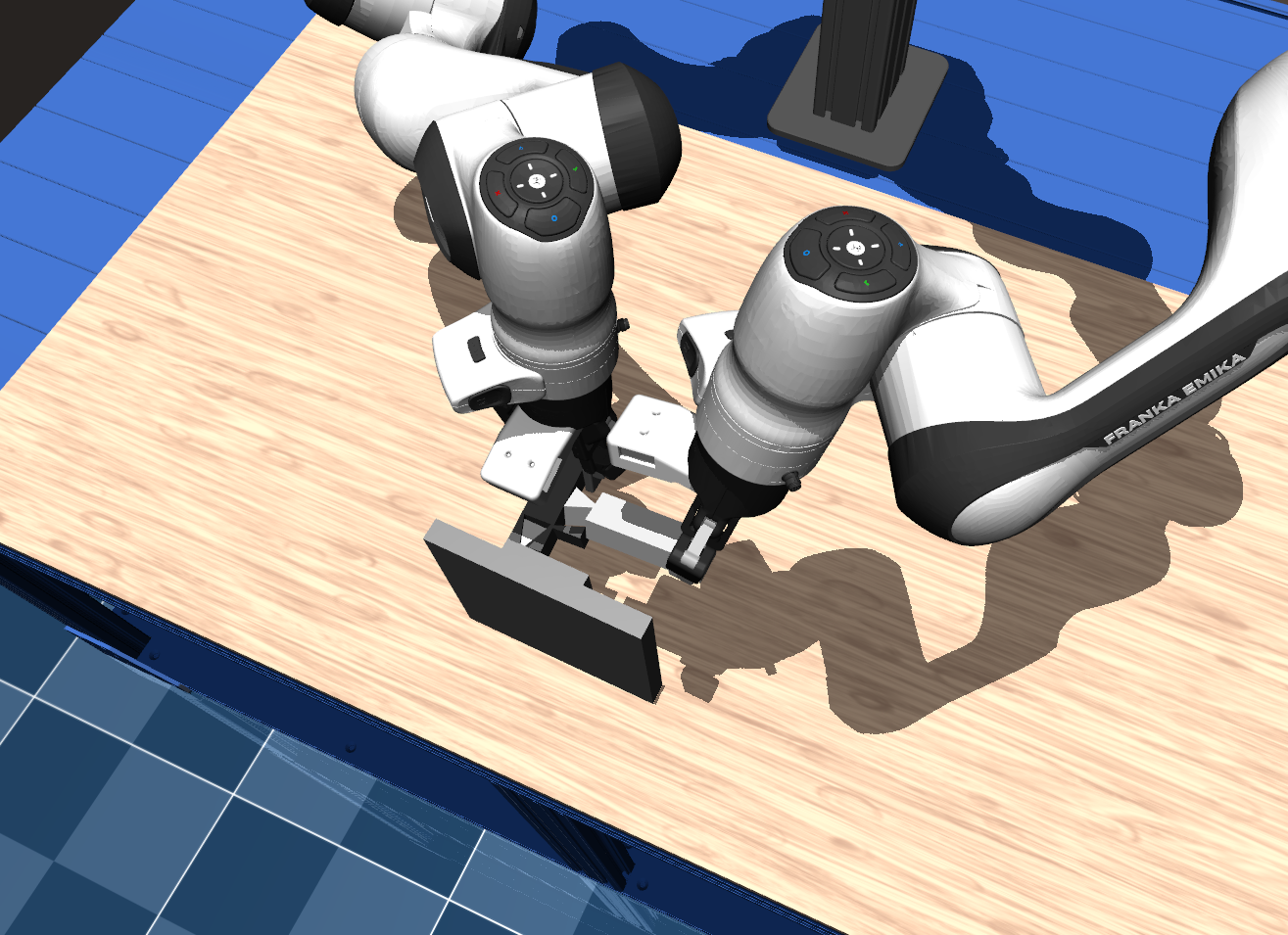 |
Join-Blocks |
Connect two movable blocks together and then attach them to a peg on a third stationary block. | "duobench/join_blocks" |
join the two blocks using the peg on the left block and join the free socket of the right block with the peg on the wall |
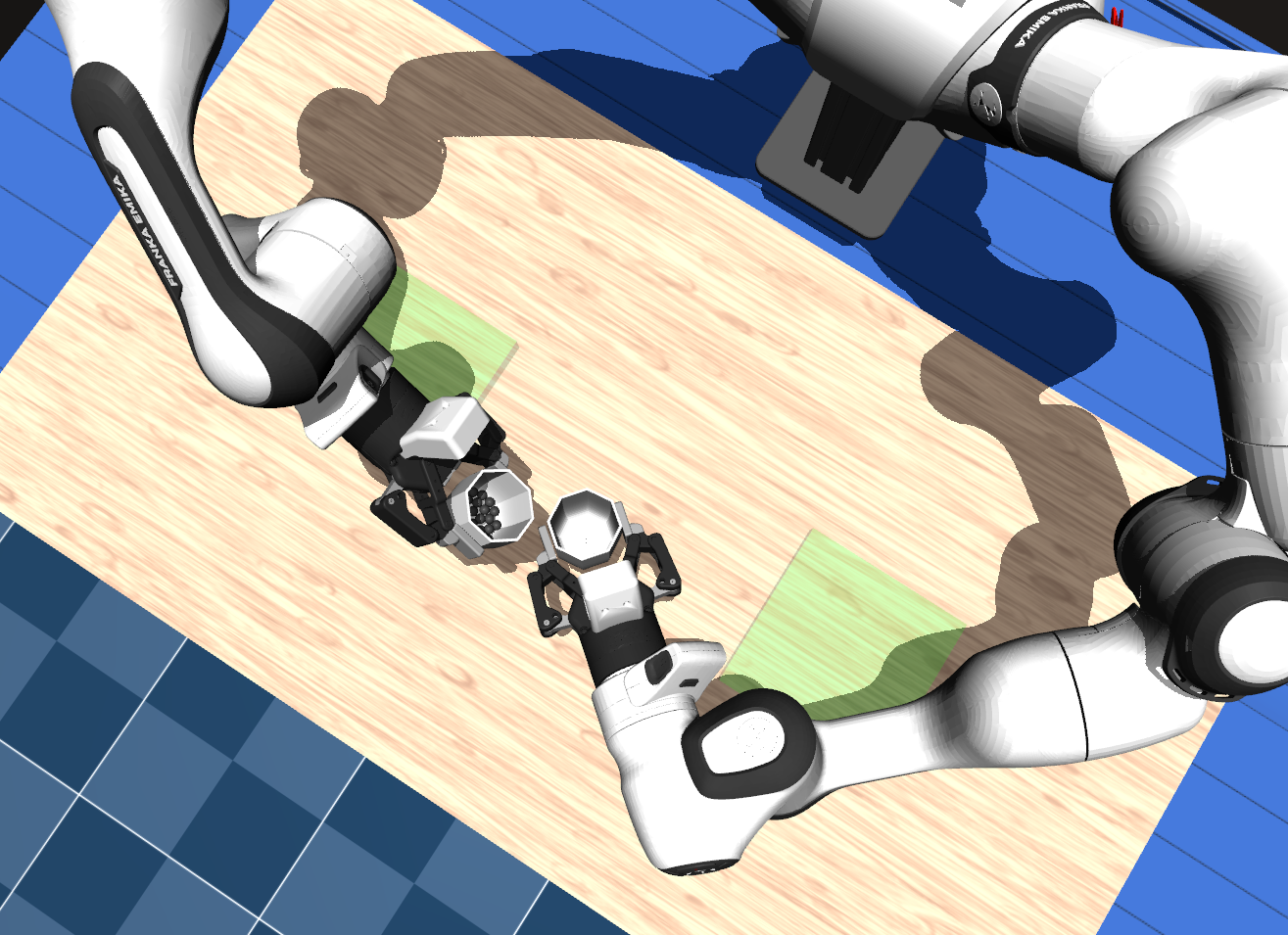 |
Pour-Marbles |
Two cups, one containing marbles. Both cups must be picked up, and the marbles must be poured into the other cup before both cups are placed back. | "duobench/pour_marbles" |
grasp and lift both cups, then pour the marbles from one cup into the other and place the cups back to their original location inside the green square |
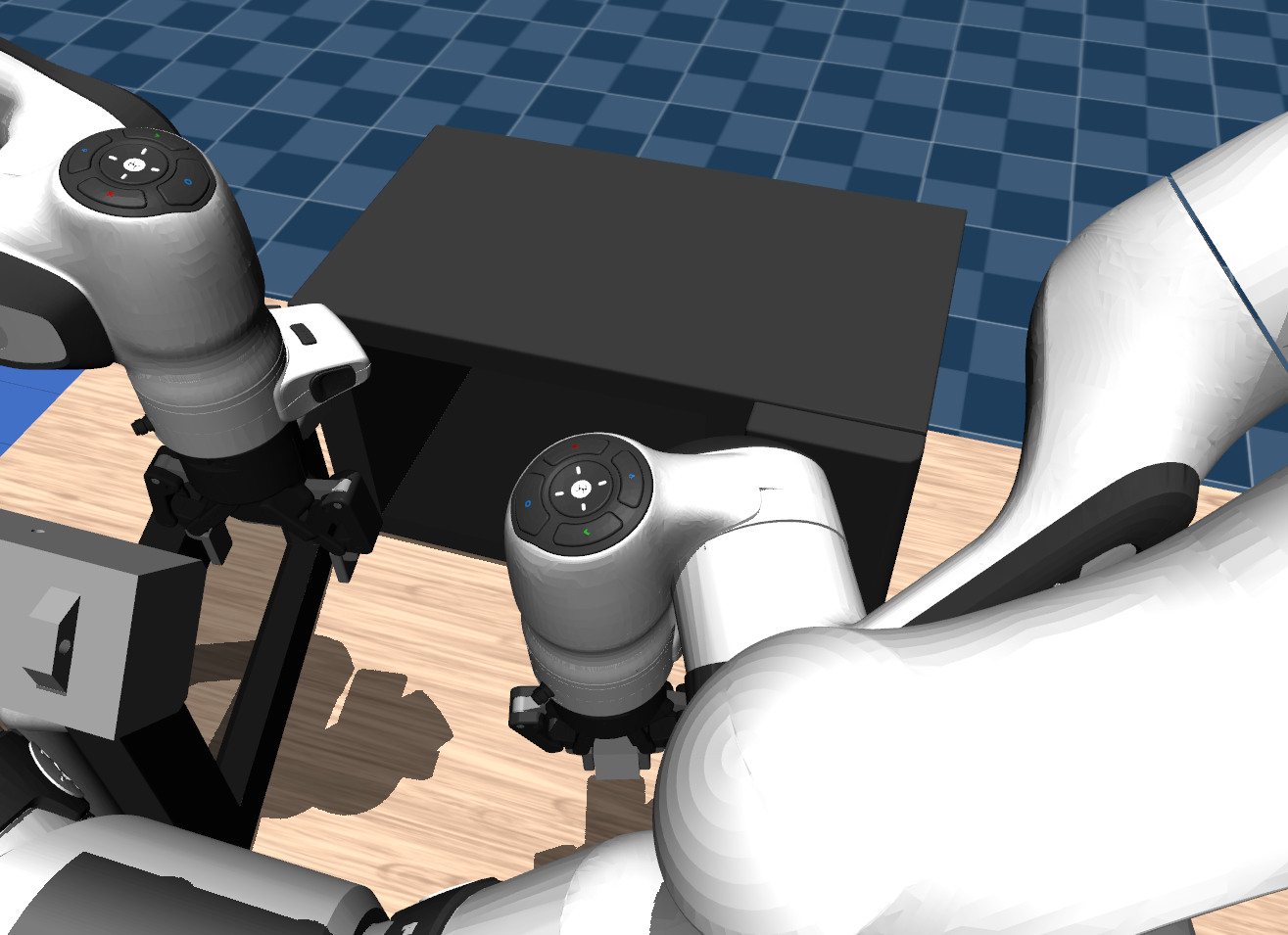 |
Spring-Door |
A spring-loaded microwave door requires one arm to hold it open while the other inserts a box. | "duobench/spring_door" |
use the left arm to open the microwave door, then use the right arm to place the box inside the microwave, and close the door again |
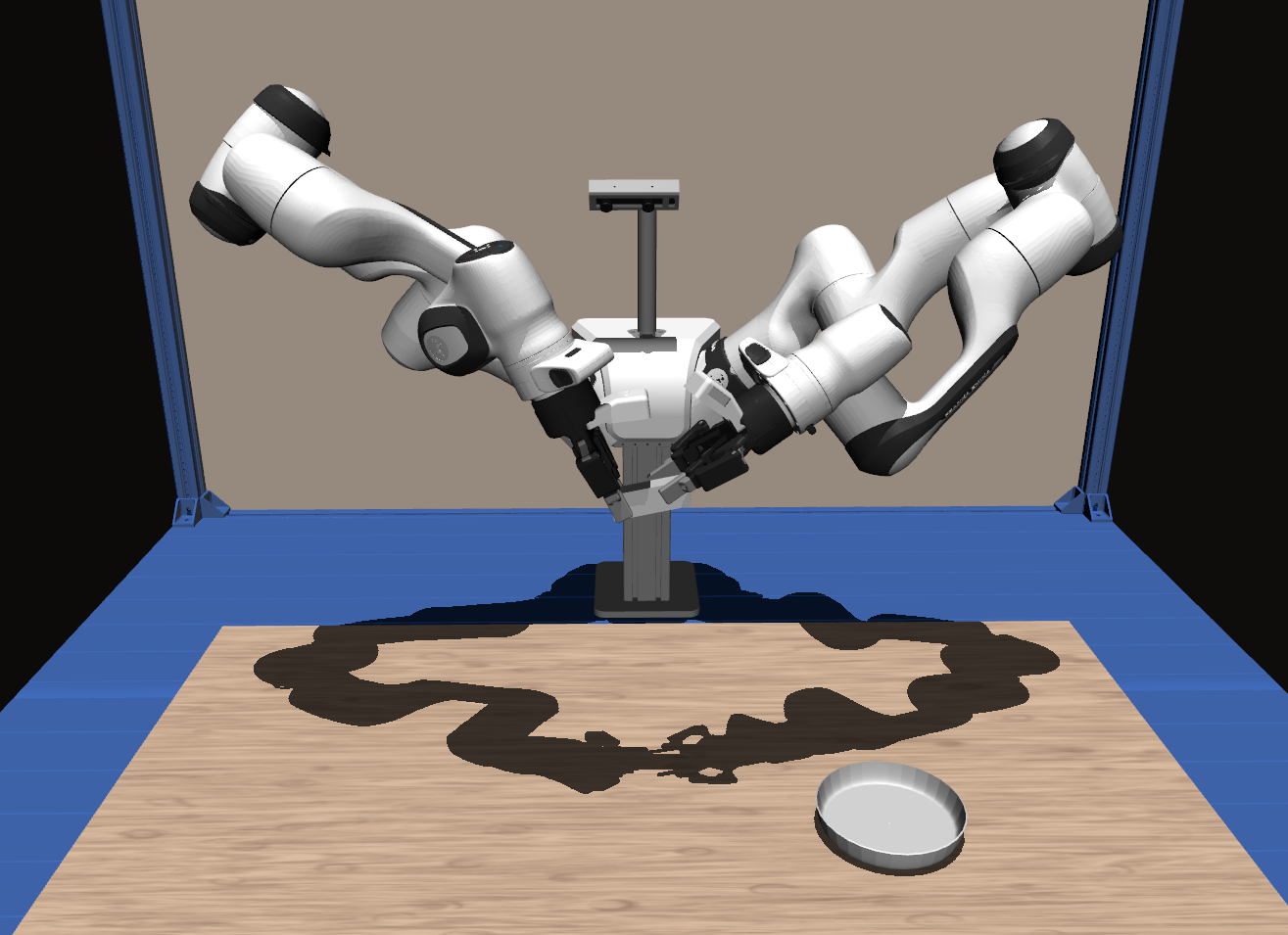 |
Transfer-Cube |
Hand over a cube between arms before placing it into a bowl. | "duobench/transfer_cube" |
grasp the white cube with the right arm, hand it over to the left arm and place it in the white bowl with the left arm |
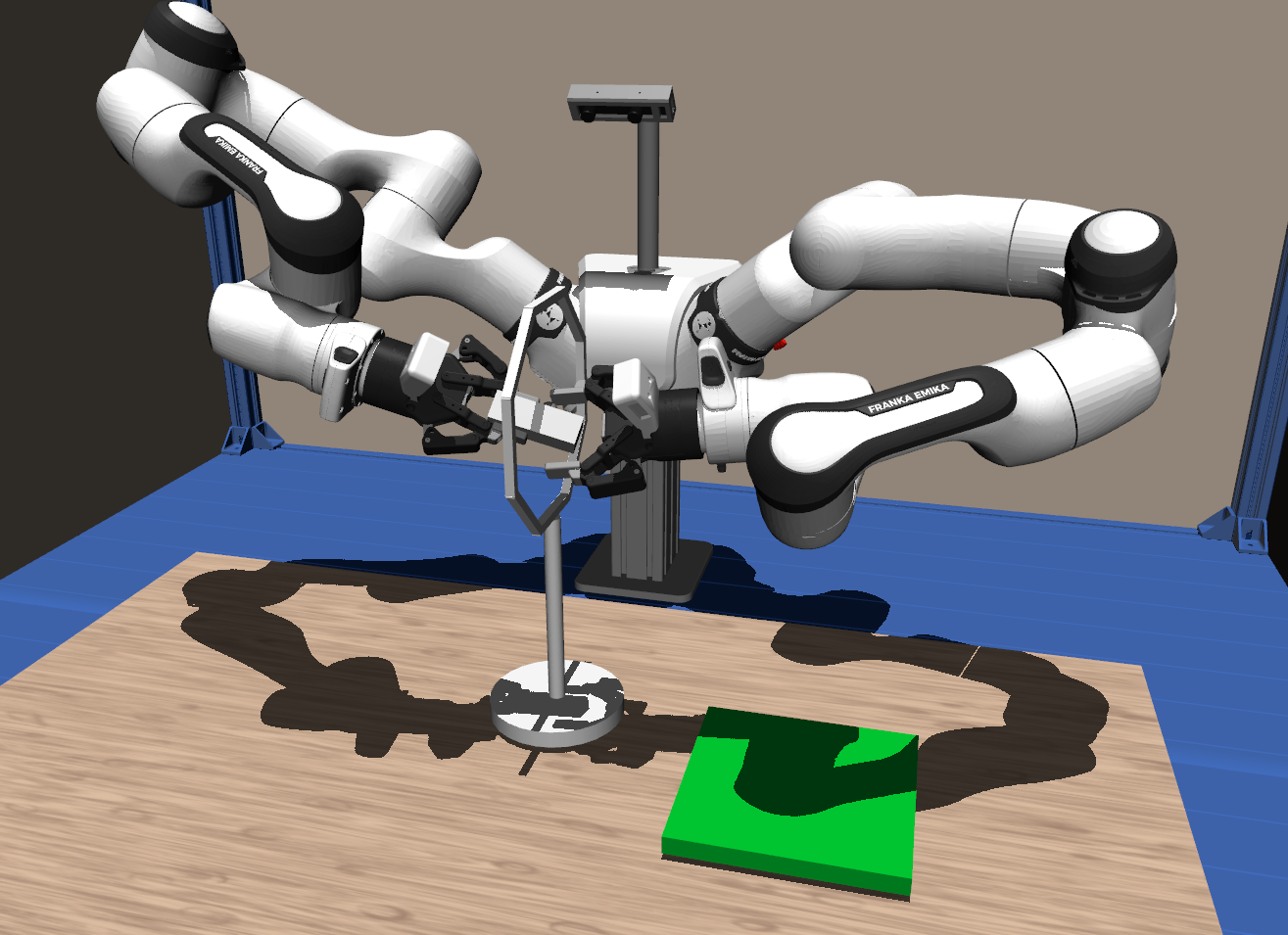 |
Transfer-Gate |
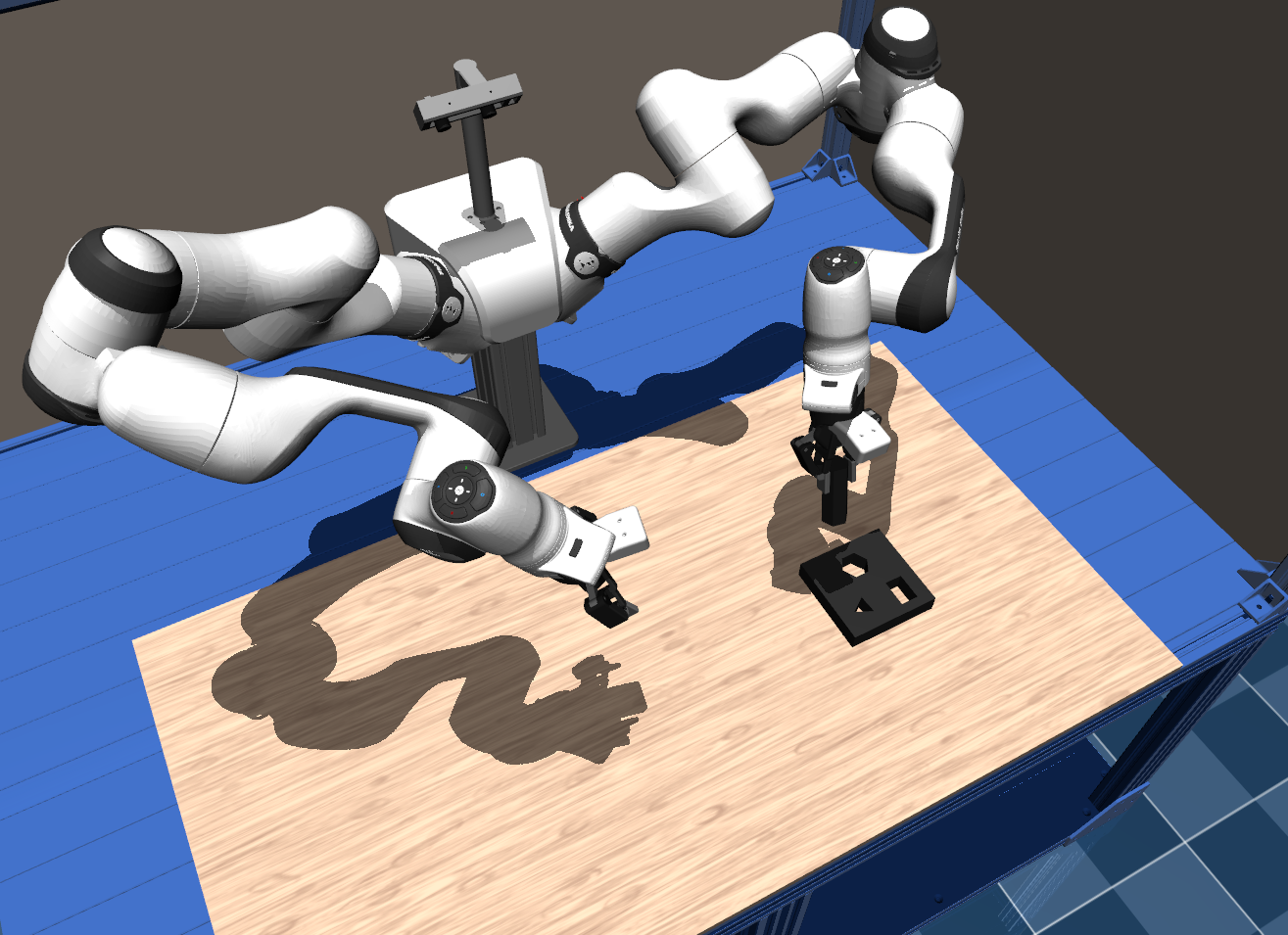
Hand over a box between arms before placing it onto a mat. The box has to be passed through a gate. | "duobench/transfer_gate" |
use the right arm to pick up the white box, and hand it over to the left arm through the hoop, then place it on the green mat with the left arm |
 |
Transfer-Reorient |
The right arm picks up a peg and hands it over to the left arm so that the left arm can insert it into a socket. | "duobench/transfer_reorient" |
grasp the block with the right arm, hand it over to the left arm such that the left arm can easily insert the piece later, then insert the block into the socket with the left arm |
DuoBench uses the teleoperation functionality provided by RCS. For setup instructions refer to their teleop setup guide.
For sim teleop to configure a specific task in franka.py the scene must be replaced by the task config e.g. for ball_maze:
# ... line 150
# scene = EmptyWorldFR3Duo()
from duobench.tasks.ball_maze import BallMazeEnvConfig
scene = BallMazeEnvConfig()This repository focuses on the benchmark environments, assets, and interfaces used by DuoBench. See the paper website and arXiv paper for project-level context and updates.
The replay interface can re-render recorded scenes with modified visual properties such as backgrounds or object colors.
Use the DuoBench wrapper so the task modules are imported before the RCS CLI runs.
Pick the recorded task via --env-id, for example duobench/bin_sort.
python -m duobench replay source_folder output_folder --env-id duobench/bin_sort --no-headlessRCS records in its own format and provides a converter to LeRobot format for downstream training:
python -m rcs lerobot-convert <output_path> --dataset-path <path> --repo-id duobench/<task_id> --no-joints --camera head@224x224 --camera left_wrist@224x224 --camera right_wrist@224x224 --video-encoding --video-backend torchcodec --binarize-gripper --n 50Check --help if you need different camera selections, want to include unsuccessful episodes, or want to adjust the export configuration.
If you find DuoBench useful for your research, please consider citing it:
@misc{duobench,
  title={{DuoBench}: A Reproducible Benchmark for Bimanual Manipulation in Simulation and the Real World},
  author={Tobias J{\"u}lg and Seongjin Bien and Simon Hilber and Yannik Blei and Pierre Krack and Maximilian Li and Sven Parusel and Rudolf Lioutikov and Florian Walter and Wolfram Burgard},
  year={2026},
  url={https://arxiv.org/abs/2606.11901}
}