
CodeInsight acts as an on-demand, intelligent sidekick designed to run alongside your development workflow. As you build applications using tools like Cursor, CodeInsight offers a proactive "second pair of eyes" to identify and help resolve issues that aren't immediately apparent during the coding phase.
By orchestrating a swarm of specialized AI agents, the platform looks beyond the surface of your code to uncover hidden complexities. It empowers you to build with greater confidence by automatically detecting security risks, performance bottlenecks, and architectural inconsistencies in real-time—allowing you to fix problems as they arise, rather than waiting for them to surface later.
CodeInsight is built around capabilities that most AI code review tools do not offer in combination:
| Differentiator | What it means |
|---|---|
| ACE Learning System | The platform learns from every analysis. Skills are extracted from experiences, stored in a skillbook, and reused so the system gets better at your codebase over time—unlike stateless tools that forget after each run. |
| Dynamic Role Selection | An LLM chooses project-specific specialist roles from the architecture model instead of fixed agent types. The right “experts” are invented for each codebase and goal. |
| Architecture-First Analysis | An architecture model is built before any agent runs. Every agent gets project-wide context (modules, data flow, tech stack), so findings are grounded in structure, not isolated snippets. |
| Multi-Model Budget Optimization | Works with budget-friendly models (e.g. Qwen, DeepSeek, Kimi) via providers like Nano-GPT at a fraction of frontier-model cost, without sacrificing orchestration quality. |
| Full Observability | Langfuse integration for traces, cost tracking, and prompt effectiveness scoring so you can tune and debug the pipeline with real data. |
- LangGraph orchestration — 17-node pipeline (scan → architecture → role selection → prompt generation & validation → parallel agent execution → synthesis) with parallel fan-out/fan-in and reducers.
- Multi-tier prompt caching — Prompts are looked up in Langfuse → Redis → PostgreSQL; on miss, generated by LLM and cached in all three for reuse across runs.
- Agent tool calling — Agents can read files, list directories, and get file metadata within the project root, with path validation and configurable limits.
- Token-aware chunking — Large codebases are split by strategy (NONE, STANDARD, AGGRESSIVE); chunks are analyzed in parallel and synthesized into a single report.
- Optional dynamic file selection — Per-role file selection so each agent focuses on the most relevant files.
- Previous-report comparison — Load a prior analysis so the synthesis report includes “Progress Since Last” and trend-aware guidance.
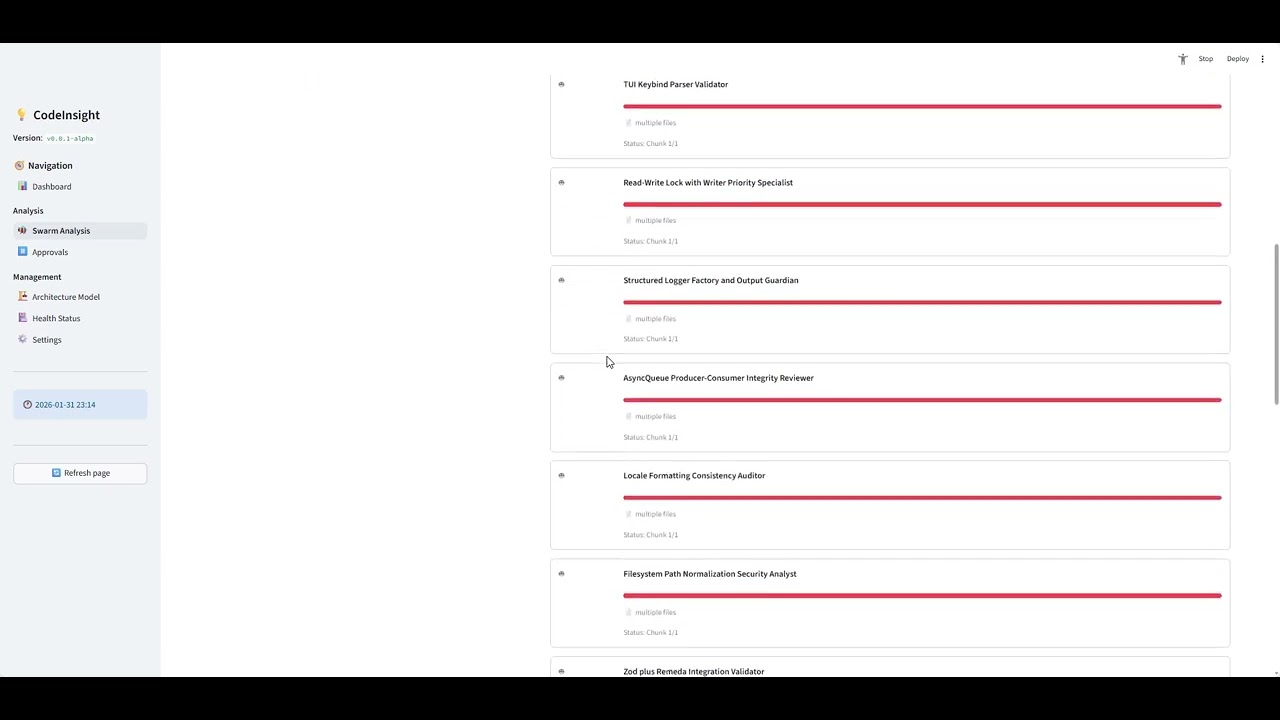
- Streamlit UI — Run analyses, view architecture models, scan history, and health status from a single app.
"Moving from single-agent bottlenecks to high-performance modular orchestration."
Learn how to build a scalable, modular agent system in under 15 minutes. This walkthrough demonstrates how to orchestrate multiple specialized agents to handle complex logic, debugging, and documentation in parallel.
- 🧩 Modular Orchestration: Transition from a single heavy agent to a "Lead Architect" that delegates to specialized sub-agents (Reviewers, Testers, Docs).
- 🛠️ Hybrid Configuration: Effortlessly configure agents using JSON or Markdown to define roles, models, and toolsets.
- 🤖 Multi-Model Swarms: Seamlessly mix Claude 3.5, Gemini 1.5, and GPT-4o in a single workflow optimized for task complexity.
- 🧠 Solving Context Limits*: Leverage delegation to prevent "context bloat," keeping agents hyper-focused on large codebases.*
CodeInsight supports analysis for a wide range of programming languages, including:
- Core: Python, JavaScript, TypeScript, Java, C/C++, C#
- Systems: Go, Rust, Swift, Kotlin
- Web: HTML, CSS, PHP, Ruby
- Scripting: Shell, PowerShell, Lua, Perl
- Data/Config: SQL, YAML, JSON, XML, Markdown, R, MATLAB
- Other: BoxLang, ColdFusion, Dart, Scala
- Python 3.10 or higher
- Docker (for running Langfuse locally)
You can set up CodeInsight using the provided automated scripts (recommended) or follow the manual steps.
The setup scripts automatically create a virtual environment, install dependencies, prepare configuration files, start Langfuse services (via Docker), and initialize the database.
-
Run Setup Script: On Windows:
-
Double-click
setup.batin the project root. -
Or run via PowerShell:
powershell.exe -ExecutionPolicy Bypass -File "setup.ps1"
On Linux/macOS:
python3 setup.py
-
-
Configure Keys: Once the script finishes, it will have created a
.envfile for you. Open it and add your required keys:OPENAI_API_KEY: Your model provider API key.LANGFUSE_PUBLIC_KEY&LANGFUSE_SECRET_KEY: (Optional) For observability.
If the automated scripts fail or if you prefer a custom setup, follow these steps:
-
Create & Activate Virtual Environment:
python -m venv .venv
# Windows:
.venv\Scripts\activate
# Linux/macOS:
source .venv/bin/activate
-
Install Dependencies:
pip install -r requirements.txt
-
Prepare Configuration Files: Copy the example files:
cp .env.example .env
cp config.yaml.example config.yaml
-
Configure Keys: Edit
.envand add your required keys:OPENAI_API_KEY(Required for LLM)LANGFUSE_PUBLIC_KEY&LANGFUSE_SECRET_KEY(Optional)
-
Start Langfuse (Docker):
docker compose -f langfuse/docker-compose.yml up -d
-
Initialize Database:
python scripts/init_database.py
Once setup is complete, ensure your virtual environment is active and run:
streamlit run ui/app.pyDemocratizing AI Development. One of the biggest barriers to innovation is the cost of compute. CodeInsight exists today largely because of Nano-GPT, a platform that provides access to high-performance open-source models at a fraction of the usual cost.
We believe powerful AI tools should be accessible to everyone—students, hobbyists, and startups alike—without breaking the bank. If you're looking to power your own projects with affordable, high-quality API endpoints, you can get started here:
This project is licensed under the MIT License - see the LICENSE file for details.
- Fork the repository
- Create your feature branch (
git checkout -b feature/amazing-feature) - Commit your changes (
git commit -m 'Add some amazing feature') - Push to the branch (
git push origin feature/amazing-feature) - Open a Pull Request