



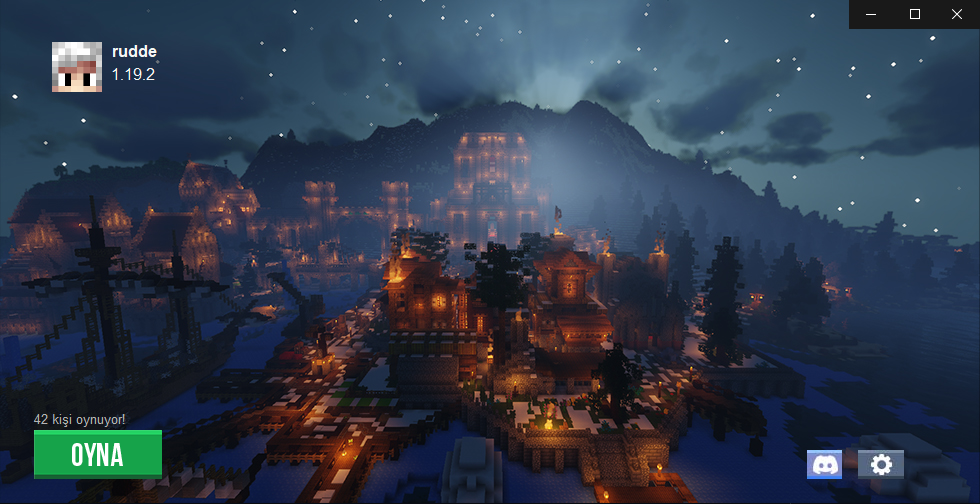
Projects Launcher is a Minecraft Launcher that created to make starting the game easier and faster with QoL features.
Join us on Discord (Turkish)
Latest version can be obtained from Projects Landing Page. VirusTotal Results.
All commits are licensed under the GNU license, unless otherwise noted in the patch headers.
Open the project in any C# IDE like Visual Studio. Project is based on .NET 4.7.2.
Open Projects Launcher.sln file with any C# IDE and simply, click to Build -> Build Solution above of the page. Output will save to ./Debug/ folder.
The launcher can start the game with a real, purchased Minecraft account so players join servers in
online mode. The whole flow lives in Projects Launcher/Auth/ and has no extra NuGet dependency:
| File | Responsibility |
|---|---|
MicrosoftAuth.cs |
OAuth 2.0 with PKCE → Xbox Live → XSTS → Minecraft Services → profile |
PremiumSession.cs |
Stores the session, refreshes expired tokens, maps it to a CmlLib session |
PremiumLoginForm.cs |
The sign-in window (progress steps, license warning, errors) |
MicrosoftBrand.cs |
Draws the Microsoft logo so no image asset is needed |
The authorization code is captured by a short-lived loopback listener on a random free port, so the
user signs in through their own browser on Microsoft's real page — the launcher never sees the
password. The Microsoft refresh token is stored at %APPDATA%\.projects\premium.dat, encrypted with
DPAPI (CurrentUser scope), so the file is useless on another account or machine.
Forks need their own Azure application. Register one at portal.azure.com → App registrations → New registration:
- Supported account types:
Personal Microsoft accounts only - Redirect URI: platform
Public client/native (mobile & desktop), valuehttp://localhost - Authentication → Allow public client flows:
Yes - Copy the Application (client) ID into
MicrosoftAuth.ClientId
No API permission needs to be added in the portal; XboxLive.signin offline_access is requested at
sign-in time. Client IDs are public values, not secrets.