Educational phishing-awareness toolkit based on ShellPhish by thelinuxchoice.
Disclaimer: Use BLACKEYE only with explicit permission, in controlled lab environments, and for authorized security education or testing. Unauthorized use against real users is illegal. Developers assume no liability for misuse.
This repository currently ships the following ready-to-use templates under sites/:
| Menu # | Service | Folder |
|---|---|---|
| 08 | Badoo | sites/badoo |
| 15 | Apple ID | sites/apple |
| 34 | Amazon | sites/amazon |
| 40 | Custom | sites/create |
Additional menu entries are listed for compatibility with upstream BLACKEYE releases, but their template folders are not included in this checkout. If you select one of those options, the script now shows a clear message instead of crashing.
Related projects:
Install these before running the tool:
bashphp(built-in development server)jq(JSON parsing for ngrok/IP lookups)curlandwgetunzip(only needed when ngrok is downloaded automatically)
For Localtunnel (menu option 2):
nodeandnpm
For Ngrok (menu option 1):
- A free ngrok account and auth token are recommended on current ngrok releases
sudo apt update
sudo apt install -y php jq curl wget unzippkg install php jq wget curl unzipClone the repository and install Node dependencies for Localtunnel:
git clone https://github.com/EricksonAtHome/blackeye.git
cd blackeye
npm install
chmod +x blackeye.sh
bash blackeye.shgit clone https://github.com/EricksonAtHome/blackeye.git
cd blackeye
wsl bash blackeye.shRunning the script directly in Windows PowerShell without WSL is not supported.
- Start the script:
bash blackeye.sh- Enter a menu number with or without a leading zero (
6,06, and34all work). - Choose a tunnel method:
1= Ngrok2= Localtunnel
- Share the generated URL only inside your authorized lab scenario.
| Problem | Fix |
|---|---|
Invalid option! when choosing 01, 02, etc. |
Fixed in current script — leading zeros are accepted. Update to the latest version. |
cd: sites/<name>: No such file or directory |
That template is not bundled here. Pick one of the included templates listed above. |
jq: command not found |
Install jq (see Requirements). |
PHP is required |
Install php. |
| Localtunnel asks for a password/IP | This is expected on first visit. Visitors must enter your public IP shown by Localtunnel. |
| Ngrok does not return a link | Sign in to ngrok, install the current ngrok binary, and configure your auth token. |
The script can download a legacy ngrok binary automatically, but current ngrok accounts usually require authentication. If tunnel creation fails, install ngrok manually and run:
ngrok config add-authtoken <your-token>Dependencies are installed with npm install. The script uses the local lt binary from node_modules/.bin.
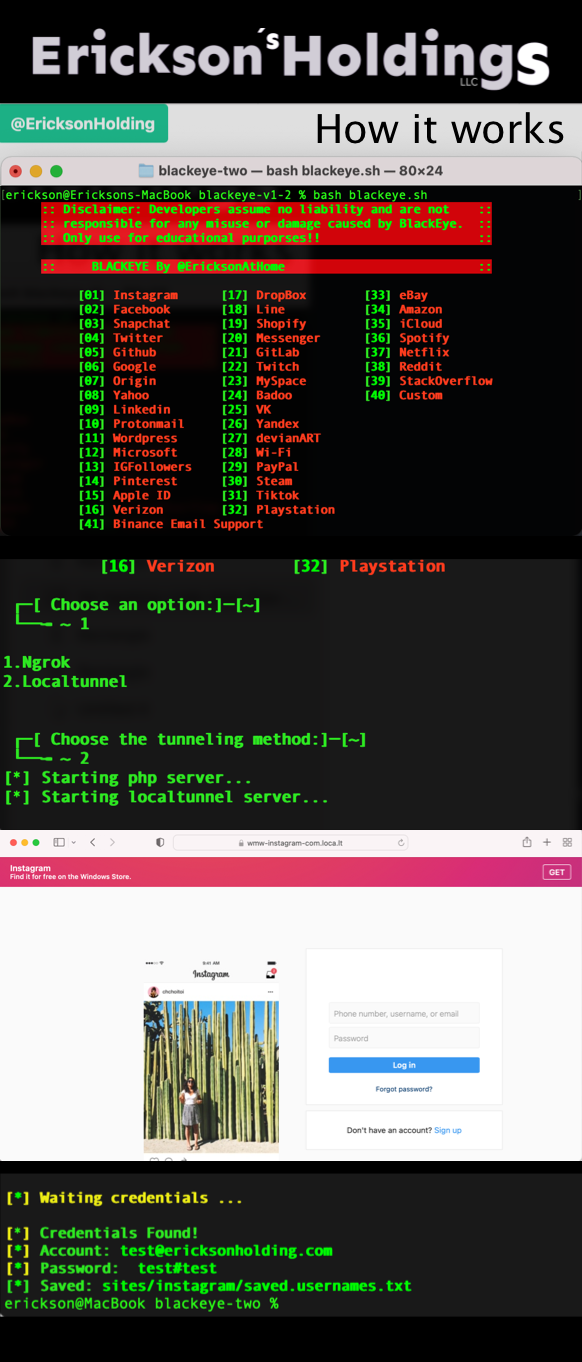
Watch the installation walkthrough
- Maintained by @EricksonAtHome
- Original phishing page templates by An0nUD4Y
- Based on ShellPhish by thelinuxchoice
If this project helps your security education work, you can support development:
Contact: @EricksonHolding on Instagram
See LICENSE.